
AliveColors empowers you to edit photographs, enhance portraits, and create vibrant artworks. The program offers a wide variety of tools to bring your creative ideas to life.
The Photoshop Brushes include extensive settings and allow you to imitate various painting brushes. The tools support the widely used ABR format, allowing artists to import and work with a large variety of Photoshop-compatible brushes.


The basic tool settings are displayed in the Tool Options panel above the Image Window. The full list of parameters (Ps Brush Editor) can be accessed by clicking the tool icon in the Tool Options panel (or by pressing the F5 key).
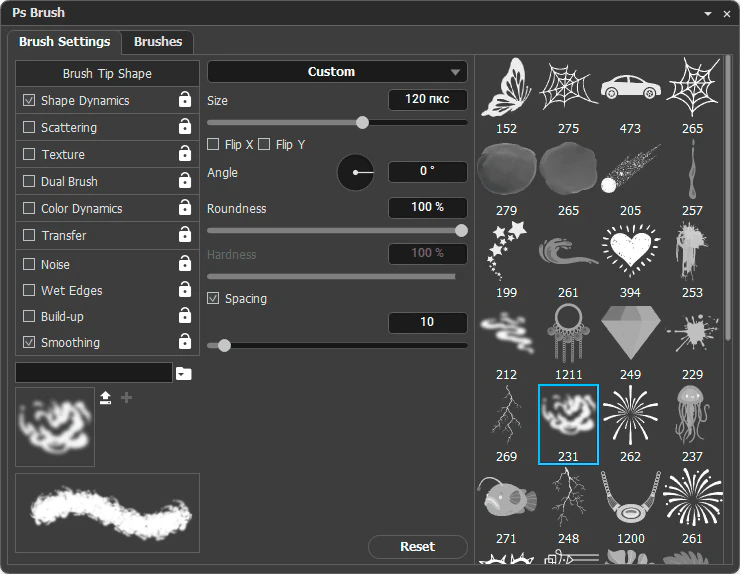 Photoshop Brushes Dialog
All available presets are displayed in the Brushes tab:
You can add brush presets to the list by clicking  and selecting an .abr file from your computer.
Note: Check out the ABR Brush Library and load the brush presets into the program. These brushes were created by AKVIS are free to use.
The button  allows you to create a new group for storing your brushes.
Double-click the name of a brush or a brush group to make it available for editing.
The button  allows you to delete individual brushes or groups of brushes.
The selected brush can be customized using the parameters in the Brush Settings tab: